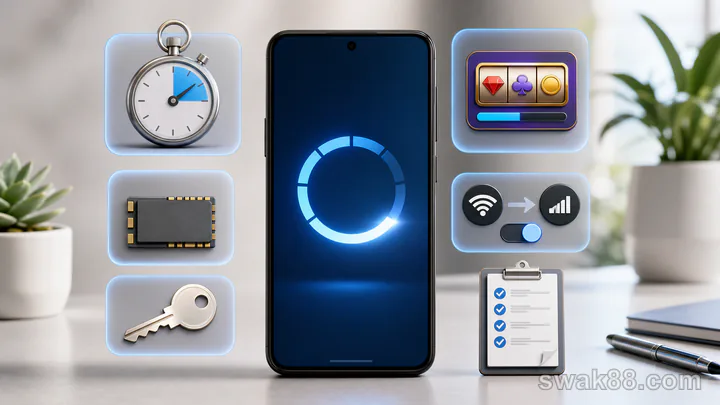
The quick answer
Test casino game apps after an Android update in ten minutes on the Philippine entry-level phone you actually use: compare the new version with the pre-update version, verify account and history, complete one demo result, background the app, switch from Wi-Fi to prepaid data between rounds, and confirm the settled state restores. Stop if the app duplicates taps, loses history, or shows different balances.
Minute 0–1: device baseline
Record battery, free storage, current network, the version shown before the update, the version now installed, visible account, and wallet balance. On a Philippine prepaid-data setup, also record whether you begin on home Wi-Fi or the mobile SIM. Close downloads and video apps, but keep normal messaging apps so the restore test reflects real use.
An update may need extra storage to unpack and rebuild caches. If Android storage is nearly full, clear unrelated files before testing rather than repeatedly reinstalling.
Minute 1–2: first launch
Open the app and wait until lobby tiles, wallet, and profile stop loading. Do not tap through blank placeholders. If it fails, close once and retry once.
Check that the profile identity matches the wallet. An old saved login can silently select a different account after session expiry.
Minute 2–3: history continuity
Open game or transaction history and locate the latest completed entry. Compare it with your pre-update note.
The lobby wallet, provider wallet, and history should reconcile. A temporary spinner can resolve; a persistent mismatch is a fail. Do not place a bet to force synchronization.
Minute 3–4: game shell
Open one familiar game without wagering. Locate total stake, paytable or rules, sound, orientation, wallet, and exit. Return to the lobby once, then reopen the same title.
Pass if both launches reach the same controls. Fail if the second launch creates a new login, blank frame, or different stake.
Minute 4–5: touch and orientation
Change stake down once and up once, open rules once, and rotate between portrait and landscape while idle. Each tap must create one response.
If an entry-level phone queues two taps during lag, restart and repeat. A second duplicated action disqualifies real play.
Minute 5–6: one demo result
Use demo mode where available. Set one virtual unit and complete one round. Wait until balance animation and history settle.
Record starting balance, stake, result, and ending balance. Do not use autoplay because it removes the inspection pause.
Minute 6–7: background restore
After settlement, background the app for one minute and open a message. Return.
The app may restore the game, lobby, or login, but the latest settled result and wallet must remain consistent. An old active-looking screen is a fail.
Minute 7–8: network switch
Return to the lobby and switch home Wi-Fi to the phone's prepaid mobile data. Wait for Android to show the new connection, reopen the game, and inspect balance and history. A pass means the settled demo result and wallet return without a duplicate action or a full re-download that makes a short data session impractical.
Never perform this diagnostic during an active wager. If the app keeps spinning, wait; do not press play again.
Minute 8–9: storage and heat
Check app storage growth and phone temperature. Compare with the baseline. Heavy caching, repeated downloads, or rapid heat increase suggests the updated build is impractical for longer sessions.
Turn sound off and repeat one demo launch if heat is high. A simpler browser version may run better than a wrapper on the same phone.
Minute 9–10: pass/fail
| Gate | Pass |
|---|---|
| Identity | Correct account before and after restore |
| Wallet | Lobby, game, and history agree |
| Controls | One tap, one response |
| Result | One demo round settles once |
| Restore | Backgrounding preserves settled state |
| Network | Wi-Fi/data switch restores history |
| Device | Storage and heat remain manageable |
One fail in wallet, touch, settlement, or restore blocks real play. Cosmetic thumbnail or animation changes can be noted without blocking.
Update-specific mistakes
- Accepting a remembered stake without checking.
- Testing network recovery during a wager.
- Repeatedly tapping a frozen play button.
- Assuming an icon proves the current version.
- Clearing app data before recording history.
- Comparing live video heat with an RNG slot.
Final verdict
A ten-minute pass confirms only that identity, wallet, controls, one settled round, restore, and Wi-Fi-to-prepaid-data recovery agree during this check; it does not prove long-term stability. If any state is ambiguous, stop and resolve it before a paid session.
Related Reading
For a closely related guide on this site, read Casino App Games on Budget Android Phones: Test Load Time, Data Use, and Session Stability.