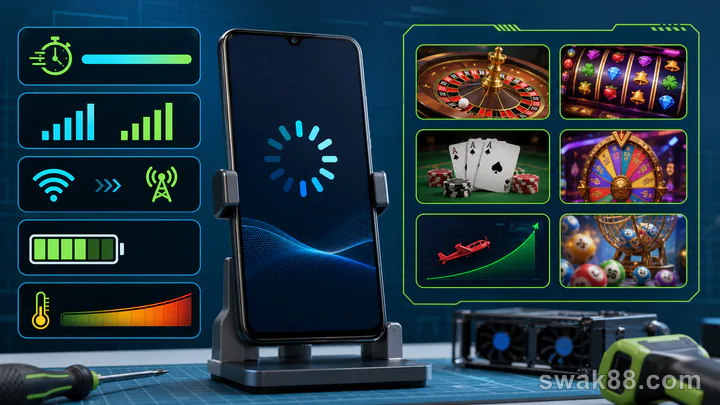
The 15-minute answer
Good casino app games on a budget Android phone should load a playable lobby in under about 15 seconds on a stable connection, keep buttons responsive during ten manual rounds, survive one clean Wi-Fi-to-mobile-data switch between rounds, and update the balance without a reload. Test those behaviors before depositing. Graphics quality is secondary; a stable low setting is better than smooth menus followed by delayed bets or missing result animations.
This test works for an installed app, a progressive web app, or a mobile browser. It measures the device and network experience without assuming one delivery format is always faster.
Prepare the phone
Use the same phone, SIM, and connection you normally use. A test on flagship hardware or office Wi-Fi says little about a 3–4 GB RAM phone during a prepaid-data commute.
Before starting:
- Charge above 30% and turn off battery saver for the test.
- Close video, social, game, and app-update tasks.
- Keep at least 1 GB of free storage so the system can manage caches.
- Record Android version, available RAM if shown, and free storage.
- Take a screenshot of the starting data counter and battery percentage.
- Use demo, free-play, or lobby observation; real money is unnecessary for performance testing.
If the phone is already hot from charging or gaming, let it cool. Thermal throttling can make a stable app appear worse than it normally is.
Scorecard
| Test | Pass | Caution | Fail |
|---|---|---|---|
| Cold launch to usable lobby | Under 15 seconds | 15–30 seconds | Over 30 seconds or stuck |
| Game open to active controls | Under 10 seconds | 10–20 seconds | Reload, blank screen, or timeout |
| Ten manual rounds | No missed input | One visible stutter | Repeated freeze or double input |
| Balance/result sync | Immediate after each result | One delayed update | Contradictory values |
| Network switch between rounds | Reconnects cleanly | Requires one refresh | Logs out or loses history |
| Battery for 15 minutes | 0–4% drop | 5–7% | 8%+ or excessive heat |
These are practical comparison bands, not universal engineering standards. Use identical conditions when comparing two apps for casino games.
Minute 0–3: cold launch and lobby
Force-close the app or browser tab, then start the timer. A cold launch ends when the lobby can scroll and a game tile responds—not when a splash screen first appears.
Check four things:
- Does the lobby load useful categories before promotional banners?
- Can search accept typing without keyboard lag?
- Do thumbnails load progressively, or does one missing image block the screen?
- Can you return to the same scroll position after opening and closing a game?
On budget hardware, a long lobby containing animated banners and hundreds of tiles may use more memory than the game itself. Prefer an interface that lets you filter to slots, tables, or live games before loading every asset.
Minute 3–7: one lightweight game
Open a simple three- or five-reel demo slot. Avoid a bonus-buy screen or 3D intro for this baseline. Time from tapping the tile until the stake controls and spin button respond.
Run ten manual spins with turbo and autoplay off. Watch for:
- A tap that registers twice.
- A button that looks ready before the previous round is settled.
- Audio continuing while visuals freeze.
- The displayed balance changing before, after, or inconsistently with the win panel.
- A forced portrait/landscape switch that hides controls.
One dropped animation is less serious than a missing settled result, but both should be checked in game history. The app should make the authoritative balance easy to verify.
Minute 7–10: a heavier format
Open either a live dealer lobby or an animation-heavy cascading slot. This exposes decoding, memory, and heat limits that a lightweight game may hide.
For live video, select the lowest available stream quality. Observe one full round without betting. The dealer picture may soften, but the betting timer, total stake, buttons, and result must remain legible and synchronized. If lowering video quality also makes controls unresponsive, the app is not adapting well.
For a cascade slot, watch whether each symbol drop renders in order and whether the spin button remains locked until the complete chain settles. A stutter should not create a second stake deduction.
Minute 10–12: clean network switch
Wait until no round is active. Turn Wi-Fi off and allow mobile data to connect. Do not switch during a blackjack decision, roulette betting window, slot feature, crash curve, or fishing-game burst.
A good casino app game should show a brief reconnect state, restore the lobby or table, and preserve account and history. A caution result is one manual refresh. A fail is repeated login, an empty history, or a balance that disagrees with the last settled round.
Switch back only after another completed observation. Philippine prepaid networks can move between LTE and 5G or between cells without warning, so the app's recovery behavior matters more than peak speed.
Minute 12–15: battery, heat, and background recovery
Note the battery percentage, then feel the back of the phone near the processor. Warm is expected during video; uncomfortable heat, screen dimming, or a sudden frame-rate drop indicates throttling.
Send the app to the background for 30 seconds by opening a lightweight settings screen, then return. It should restore the same lobby or settled game state. Budget Android systems aggressively reclaim memory; an app that fully reloads every time will make payment checks and message verification frustrating.
Do not run this background test during an active paid round. The goal is recovery, not manufacturing a disconnect.
Measure data instead of guessing
Android's per-app data counter can show the difference between lobby browsing, animated slots, and live video. Record before and after values for the same 15-minute script.
Static RNG games normally use far less data than continuous live-dealer video. High-resolution banners and auto-playing lobby previews can still consume unnecessary data before a game begins. If two apps feel equally stable, prefer the one that lets you disable previews and lower stream quality.
Avoid claiming an exact megabyte rate from one test: caches, video quality, device density, and previous downloads change the result. Compare like with like on the same phone.
APK, PWA, or browser?
An installed APK can offer full-screen controls and stronger background handling, but it also consumes storage and requires updates. A progressive web app can place an icon on the home screen while sharing browser technology. A normal browser requires no installation and is easiest to clear or compare, but tab memory pressure may cause reloads.
The right choice is the one that passes the same test. For format-specific trade-offs, see Apps for Casino Games: APK, PWA, or Browser.
A decision rule
Reject the app for this phone if it shows any two fail conditions: repeated freezes, double inputs, contradictory balances, lost history after a between-round network switch, or excessive heat and battery drain. One slow load can be tolerated if the active game remains stable; a beautiful lobby cannot compensate for unreliable settlement.
If it passes, repeat a focused 15-minute casino app game test on the specific format you plan to use. Slots, live tables, crash games, and fishing games stress the phone differently.
Final checklist
A practical app for casino games should be usable within seconds, maintain one input per tap, show the same balance in the game and account record, reconnect between rounds, and remain comfortable on the intended network and hardware. Keep the screenshots and timing notes; they make two apps directly comparable without relying on marketing claims.
Related Reading
For a closely related guide on this site, read How to Choose an App for Casino Games in the Philippines.