The quick answer
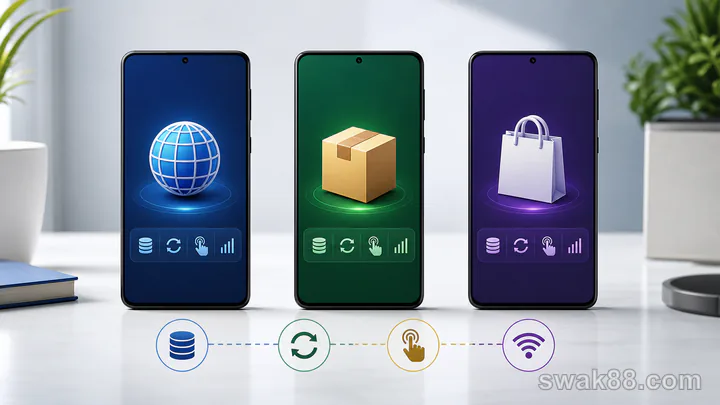
Casino games apps on Philippine Android phones come in three practical forms: mobile browser sites, directly installed APKs, and apps delivered through an official app store. Browser play is usually the first test on an entry-level phone with tight storage and prepaid data; a direct APK only earns the extra storage if it restores sessions better; a store app is strongest when automatic updates remain available on the device. Choose by session restore, storage use, control clarity, and Wi-Fi-to-data recovery—not by an icon or download prompt.
Side-by-side comparison
| Format | Update path | Storage | Session behavior | Best fit |
|---|---|---|---|---|
| Mobile browser | Server updates automatically | Lowest | Depends on cookies and browser tabs | Occasional play and limited storage |
| Direct APK | Download and install new package | Medium/high | Dedicated app session | Users willing to manage versions |
| App-store install | Store manages updates | Medium/high | Dedicated app session | Users who prefer centralized updates |
All three can ultimately load the same provider games inside web views. A native-looking wrapper does not guarantee faster reels, and browser play is not automatically inferior. Test the actual phone.
Browser play
Browser play opens from Chrome or another mobile browser. Its biggest advantage is low maintenance: lobby code updates on the server, and there is no package to replace. It also avoids consuming storage for a large app shell.
The trade-off is session management. Clearing cookies can sign you out, Android may discard a background tab, and browser toolbars reduce vertical space. Test adding the site to the home screen, reopening it after two minutes in the background, and restoring a completed game result.
Browser play fits an entry-level phone with limited storage or a user who plays infrequently. It is less convenient if the browser constantly kills game tabs while multitasking.
Direct APK
An APK installs a dedicated Android package. It may provide a full-screen shell, persistent login, notifications, or a cleaner return to the lobby. The package also creates an update responsibility: you need to know when a new build exists and whether Android replaced the old version without losing local preferences.
Before an update, record the displayed version and balance. After installation, check login, wallet, game history, favorite games, and one demo launch. Do not assume the update succeeded because the icon opens; a stale shell can still point to incomplete assets.
APK storage includes the package, cached thumbnails, web content, and sometimes downloaded game resources. Check Android storage after ten minutes of play and again after several days.
App-store install
A store-delivered app centralizes version history and updates. Automatic updates reduce manual work, but they can happen shortly before a session and change controls unexpectedly. Disable immediate real-money play after any update until a short diagnostic passes.
Store availability varies. If the listing is unavailable, that fact does not make an unrelated package equivalent. Do not install a different app merely because the name or icon looks close.
The useful store-app test is the same as for an APK: correct account, consistent wallet, visible rules, stable game launch, settled result, and clean session restore.
Seven tests on the same Android phone
1. Cold launch
Close the format completely and open it. Time until the wallet and game categories stop loading. A fast splash screen followed by blank tiles is not a completed launch.
2. Game load
Open one known slot and one table demo. Confirm rules, stake controls, sound, and exit button are visible. Note whether the provider frame needs a second login.
3. Orientation
Rotate only between rounds. Check that portrait and landscape keep the main action button away from Android navigation controls.
4. Background restore
After a demo result settles, background the session for two minutes. Return and confirm the same balance and last result. Record whether you return to game, lobby, or login; consistency matters more than one preferred destination.
5. Network switch
Return to the lobby, move from home Wi-Fi to the prepaid mobile connection used on that Philippine phone, then reopen the game. Never switch during an active wager for this test. The settled state should reload without an ambiguous duplicate action, and a short data session should not force a full package or lobby download again.
6. Storage growth
Compare Android storage before and after two game launches. Browser cache may grow, but an installed package usually starts from a larger base. A phone with less than a few gigabytes free may kill or fail updates more often.
7. Battery and heat
Run each format for ten minutes at the same screen brightness. Compare heat and battery drop using the same game type. Live video is heavier than an RNG slot, so keep the content comparable.
A practical scorecard
Give each format 0, 1, or 2 points for cold launch, control clarity, restore, network recovery, storage, and heat. Twelve is the maximum. Reject any format that fails balance continuity even if its total score is high.
For example, browser play might score 2 for storage and updates but 1 for background restore. An APK might score 2 for full-screen controls but 0 if update state is unclear. The score forces you to compare behavior rather than marketing.
Which format should you choose?
Choose browser play on an entry-level Philippine Android phone when storage is tight, prepaid-data sessions are short, and the browser reliably preserves login. Choose an APK only when its dedicated shell demonstrably restores games better across Wi-Fi and prepaid data and you are comfortable verifying each update. Choose a store app when centralized updates, version visibility, and background downloads work on the phone without consuming the data reserved for play.
Final verdict
The best Philippine mobile option is the one that passes launch, control, settlement, restore, prepaid-network, storage, and heat tests on the actual entry-level or mid-range phone. Browser, APK, and store app are delivery formats; none replaces a ten-minute check across both the Wi-Fi and mobile connection you use.
Related Reading
For a closely related guide on this site, read Casino App Games on Budget Android Phones: Test Load Time, Data Use, and Session Stability.