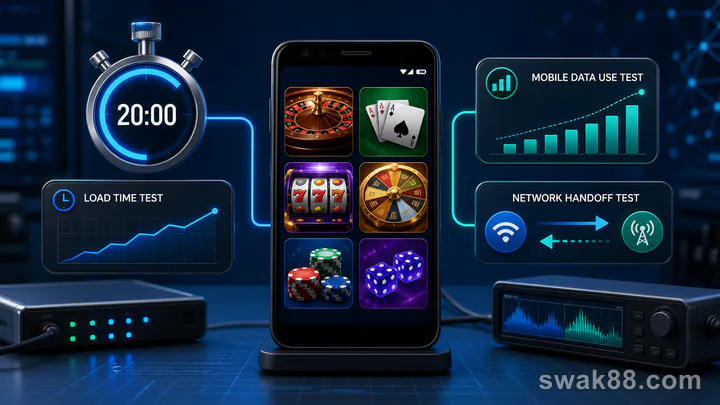
What a 20-minute app test can prove
Online casino games apps should be tested on the Android phone and connection you actually use. Twenty minutes cannot prove long-term stability, security, or payout reliability. It can show whether the app loads three game formats, keeps the selected stake, reports mobile-data use, survives a brief mobile reconnect between rounds, and restores the session after being backgrounded.
Run the same test on the installed app, PWA, or browser version you plan to use. Do not compare one installed build with a different web lobby and call the result an app comparison.
Prepare the phone
Use an entry-level or mid-range Android phone with the battery above 30%. Close unrelated apps and note free storage and Android version. For a Philippine prepaid test, record the SIM operator, 4G or 5G network type, signal bars, location, time, and remaining data in the active promo or bundle.
Run the entire measured sequence on mobile data. Open Android's per-app mobile-data screen and record the starting counter before launch. If you also want to test a Wi-Fi/mobile handoff, do it as a separate run with a new baseline; Wi-Fi traffic is not included in Android's mobile-data counter.
Choose three demo or low-risk formats:
- One portrait slot.
- One live table stream.
- One fishing or fast arcade game.
Set a timer. Keep phone brightness and network conditions ordinary. Stay in the same place for every comparison and record any signal change. Repeat at a similar time before blaming the app for a network-dependent result.
Minutes 0–5: cold launch and login restore
Force-close the app, then start the timer as you tap its icon. Record time to the lobby and time until the first game tile responds. A splash screen ending quickly is not the same as a usable lobby.
Check whether your authenticated session restores without returning to a half-loaded page. Open account balance, then return to the lobby. Background the app for 30 seconds and reopen it. Note whether it returns to the same state or reloads.
Pass condition: lobby and balance become usable, navigation does not freeze, and background restore does not duplicate a previous action.
Minutes 5–10: slot controls and stake persistence
Open the portrait slot. Record launch time from tile tap to interactive reels. Open the paytable, set the minimum demo or test stake, and play five manual spins.
Verify:
- Total bet is visible before Spin.
- Turbo and autoplay are off.
- Balance settles before the next spin.
- Rotating the phone does not hide stake controls.
- Returning to the lobby and reopening does not silently increase the stake.
Do not judge the slot by wins. The test is control clarity. A fast-loading game fails if the total stake becomes unreadable on a small screen.
Minutes 10–15: live stream and mobile reconnect
Open a live baccarat or roulette table and watch two complete rounds without betting. Note time to stable video, whether the betting timer matches the stream, and whether result history updates.
Between rounds, turn mobile data off for five seconds, then turn it back on. Wait for the app to reconnect. Do not disconnect after placing a wager. Verify the balance and history before continuing. This keeps the measurement on one network while still testing a brief reconnect.
A brief video-quality reduction is acceptable if the table state remains clear. A failure occurs when the timer continues while the stream is frozen, the app returns to the lobby without history, or controls accept ambiguous taps during reconnect.
Minutes 15–18: game switching
Move from the live table to a fishing or arcade game, then back to the slot. Record each launch time. Some apps keep multiple game engines in memory; budget phones may reload them.
In the fishing game, identify cost per shot and fire ten manual shots. Confirm that changing cannon power changes the displayed cost before firing. Avoid hold-to-fire because it hides data about touch response and credit rate.
When returning to the slot, verify the stake and balance again. A reload is not automatically bad, but state must be consistent.
Minutes 18–20: data, heat, and session restore
Open Android's app data screen and record the ending counter. Subtract the starting counter to get the approximate MB used by this mobile-only test. Divide that result by the remaining MB in the active prepaid bundle and record the percentage. For example, a 35 MB test consumes 3.5% of a 1,000 MB balance. Set a personal ceiling before comparing formats; a result above it fails even if the app feels smooth.
Live video will usually dominate. Repeat the same sequence at the same location and a similar time before generalizing; cached assets can make the second run smaller. Keep the operator, network type, signal, start/end MB, bundle percentage, and any signal drop on the scorecard.
Touch the back of the phone and note cool, warm, or hot. This is subjective, so combine it with battery percentage change. A 20-minute test cannot prove thermal stability, but sharp heating plus frame drops is a reason to prefer browser play or a lighter game.
Force-close and reopen once more. Confirm that no round is pending and the balance matches history.
Scorecard
Before the run, set a cold-lobby ceiling, a game-launch ceiling, and a 20-minute MB ceiling that fit your patience and prepaid bundle. Give one point for each pass:
- Cold lobby loads within the chosen number of seconds.
- Slot total bet stays visible.
- Stake persists or resets transparently.
- Live timer and video remain aligned.
- Mobile reconnect completes between rounds.
- Game switching preserves balance.
- Fishing shot cost is visible.
- Total MB and bundle percentage stay within the chosen ceiling.
- No severe heat or repeated frame drops.
- Final session restore shows correct history.
Eight to ten points is a good short-session result. Six or seven means compare the browser or PWA version. Five or fewer means the app does not fit that device and connection. When comparing formats, use the same phone, SIM, location, time window, three game tiles, and thresholds; rank actual lobby seconds, game-launch seconds, and MB rather than awarding a pass merely because they were measurable.
For a broader browser-versus-APK-versus-store comparison, read our casino games apps format guide.
Interpreting the result
Choose the installed app when it launches reliably, handles background restore, and uses less friction than browser play. Choose a PWA or browser when storage is tight, updates are frequent, or the installed build overheats the phone. The best format is the one that keeps game state and stake visible under ordinary data conditions.
Repeat the exact 20-minute test after a major update. Keep the old scorecard. Online casino games apps change, and one successful run does not guarantee the next version. A repeatable test gives a better answer than a generic “smooth” review.
Compare app, PWA, and browser fairly
Run the same mobile-only sequence in each format: cold launch, one slot, one live table, one game switch, one background restore, and one mobile reconnect. Keep phone, SIM/operator, location, time window, signal conditions, brightness, network type, and timer constant. Start a fresh per-app or browser data baseline for each format.
An installed app may launch faster after caching but use more storage. A PWA can feel app-like while still relying on browser storage. Browser play avoids an install but tabs and memory pressure can reload the game. No format wins by default.
Questions the test cannot answer
Twenty minutes cannot verify long-term battery health, all future updates, account service quality, or the mathematical fairness of a game. It also cannot prove a download source is trustworthy. Those are separate investigations.
The test can answer narrower questions: Did the selected stake persist visibly? Did one confirmed round settle once? Did the mobile reconnect happen between rounds without losing history? Did load seconds, MB, bundle percentage, and battery change stay within the limits set before the run?
Retest triggers
Repeat after an Android update, app update, phone storage drop, or change of mobile carrier. Also retest if live video starts falling behind the timer or the phone begins closing games in the background. Keep both scorecards, including operator, signal, seconds, MB, and bundle percentage, so a regression is visible instead of dismissed as a one-off feeling.
Use the same three game tiles in every retest. A new title can have different asset size and engine behavior, so substituting it breaks the comparison. If an old title disappears, mark that step unavailable and start a new baseline instead of merging the two scorecards.
Related Reading
For a closely related guide on this site, read Casino App Games on Budget Android Phones: Test Load Time, Data Use, and Session Stability.