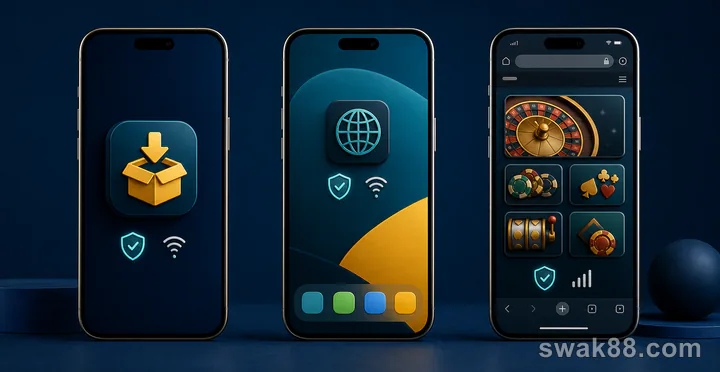
The Difference Is Mostly in the Session Around the Game
When comparing apps for casino games, APK, PWA, and browser access often open the same HTML5 game from the same provider. The reels, table rules, and game result do not become better simply because an icon sits on the home screen. The real differences appear before and after play: launch speed, screen space, game switching, session recovery, notifications, storage, and how the phone handles live video.
For quick slots, the browser may be all you need. For frequent play, a PWA can make returning to favorites easier. An APK is most useful when it delivers a visibly better lobby, smoother multitasking, or more consistent full-screen behavior on your Android phone.
Quick Comparison by Playing Style
| Playing style | Browser | PWA | APK |
|---|---|---|---|
| Occasional slot session | Usually sufficient | Convenient shortcut | Often more than needed |
| Frequent slot switching | Can reload tabs | Good if recent games persist | Best when lobby caching is effective |
| Live baccarat or blackjack | Depends heavily on browser memory | Similar stream, cleaner launch | Can offer steadier full-screen behavior |
| Fishing or arcade games | Browser bars may reduce space | More app-like canvas | Potentially best touch consistency |
| Low-storage phone | No separate package | Small footprint | Uses the most storage |
| Older phone | Simple browser may work well | Similar to browser | Extra wrapper may help or hurt |
This is not a universal ranking. A well-built browser experience can outperform a poorly built APK. Test the same games in each available format.
Browser Play: Best for Short, Direct Sessions
Browser access has the shortest path from a link or bookmark to the lobby. It works especially well for players who open one or two familiar slots, play briefly, and leave.
The main limitation is screen competition. The address bar, bottom toolbar, tab controls, and gesture areas can take space from a game. In portrait slots this may be minor. In landscape roulette or fishing games, losing even a small strip of the screen can make controls feel cramped.
Browser memory also matters. If you switch to messaging, video, or another heavy tab, the phone may unload the game. Returning can trigger a reload and send you back to the lobby. Test this with a non-active game screen: open a game, switch apps for two minutes, and return. The useful result is not merely “it reopened,” but whether it returned to the same game and preserved your lobby context.
Choose browser play when you value a quick start, use several devices, or rarely need to switch between many games in one session.
PWA: Better Routine Without a Heavy App
A PWA turns the web experience into a dedicated home-screen entry. The game catalog and underlying pages may be the same as the browser version, but the launch feels more focused because there is no visible tab strip or address bar.
That extra screen space is noticeable in:
- Portrait slots with controls close to the bottom edge
- Live tables where video and betting areas compete for height
- Roulette layouts that need a wide number grid
- Fishing games with controls near both corners
A PWA is also useful for players who want a stable routine: tap one icon, open the lobby, select Favorites, and start. The important question is whether the PWA remembers sign-in state, recent games, and filters better than a normal tab. Some do; others simply open the same page in a separate window.
Test three returns: close it normally, leave it in the background for ten minutes, and reopen after restarting the phone. Compare where each return lands. A good PWA reduces navigation; a weak one only changes the icon.
APK: Worth It Only When the Experience Changes
An APK can wrap the same mobile website or provide a more customized Android shell. The useful version improves specific actions:
- Keeps the game truly full screen
- Returns to the last lobby position
- Caches thumbnails and category data
- Handles app switching without a full reload
- Separates casino play from normal browser tabs
- Offers clearer game and session notifications
Do not judge it by a splash screen or animated homepage. Compare the actual path from launch to play. Count the taps needed to reach the same favorite slot, baccarat table, and recent-game list.
Also compare storage after opening several games. The initial package size may be small while cached assets grow during use. On a phone with limited space, a browser or PWA can remain the smoother choice because Android has more room for game assets and system memory.
Slots: Compare Reloading and Bet-Control Space
Slots generally run well in all three formats because most are designed for portrait play. The format difference becomes clear when moving between games.
Use this sequence:
- Open one slot and inspect its paytable.
- Return to the provider filter.
- Open a second slot.
- Return to the first through Recent Games.
- Switch away from the app for two minutes and come back.
Watch whether the first slot reloads from zero, returns to its intro screen, or becomes interactive quickly. Also check whether the format changes the visible space around the total-bet control. A browser toolbar can push a bottom control into a tight area; a PWA or APK may give it more room.
For players who sample many titles, fast lobby return matters more than a one-second difference in the initial launch.
Live Tables: Compare Video Recovery and Layout
Live baccarat, blackjack, and roulette put more pressure on the phone than slots. They combine video, controls, result history, and a countdown.
Compare:
- Time from lobby tap to a clear dealer stream
- Whether video quality changes smoothly on mobile data
- How quickly the stream recovers after app switching
- Whether landscape mode keeps all betting controls visible
- Whether the table list remembers your game and limit filters
A PWA usually behaves much like the browser engine beneath it, so do not expect different video quality automatically. Its advantage may simply be cleaner full-screen space. An APK may manage background and full-screen transitions better, but only an actual comparison on your phone can prove that.
For roulette, examine the grid rather than the dealer video. For blackjack, focus on button placement. For baccarat, compare roadmap readability and table switching.
Fishing and Arcade Games: Touch Response Is the Deciding Factor
Fishing games need continuous aiming, rapid tapping, moving targets, and effects across the whole screen. A small delay or a browser gesture conflict is more noticeable here than in a turn-based table game.
Test the same stage in each format and look for:
- Aiming that follows the finger consistently
- Controls that do not overlap phone gestures
- Stable animation during crowded effects
- Quick weapon or stake changes
- No accidental page zoom or back navigation
If the APK produces the same response as the PWA, there may be no gameplay reason to keep the larger package. If the browser repeatedly exposes navigation controls during fast input, the PWA’s dedicated window may be the better middle option.
Compare on a Typical Philippine Mobile Routine
Do not benchmark only on a flagship phone and unlimited home Wi-Fi. Many practical differences appear on an entry-level or mid-range Android device using ordinary mobile data. Run the same slot, live table, and fishing-game sequence on the phone and connection you normally use.
For a short session during a work break or commute, browser launch speed and a preserved Recent Games list may matter more than elaborate lobby animation. When moving between Wi-Fi and mobile data, compare whether a live stream resumes cleanly and whether the lobby keeps its filters. On prepaid data, observe the phone's own usage reading for a ten-minute slot session and a ten-minute live-table session; video will usually be the more demanding format, so an APK is not automatically the economical choice. On a lower-memory device, watch whether switching to messaging forces a full game reload. These results should decide between browser, PWA, and APK for the Philippine routine you actually have.
Measure the Format With Real Tasks
Run one repeatable 12-minute comparison:
| Minute | Task |
|---|---|
| 0–2 | Launch and open Favorites |
| 2–4 | Search for a named slot and open its paytable |
| 4–6 | Switch to a live baccarat table |
| 6–8 | Rotate the phone and return to the lobby |
| 8–10 | Open a fishing or touch-heavy game |
| 10–12 | Switch apps, return, and reopen the first slot |
Record tap count, reloads, lost filters, layout problems, heat, and battery change. Do not mix different games between formats; otherwise you are comparing providers rather than access methods.
Choose the Format That Removes the Most Friction
- Use the browser for occasional play and direct access to one familiar game.
- Use a PWA when you want a clean full-screen window, home-screen launch, and a lightweight routine.
- Use an APK when it measurably improves game switching, background recovery, touch response, or full-screen layout.
The best format is the one that shortens the path to your games and stays out of the way once play begins. If all three deliver the same lobby and performance, choose the simplest one for your phone rather than assuming the downloadable version is superior.